Run every site
from one phone.
Gantt scheduling, GPS check-in, site photos, document signing and job accounting. From day one to completion, all in one app.
- 30-day free trial, no credit card
- One account on phone and computer
- All 16 features on every plan; only team size differs

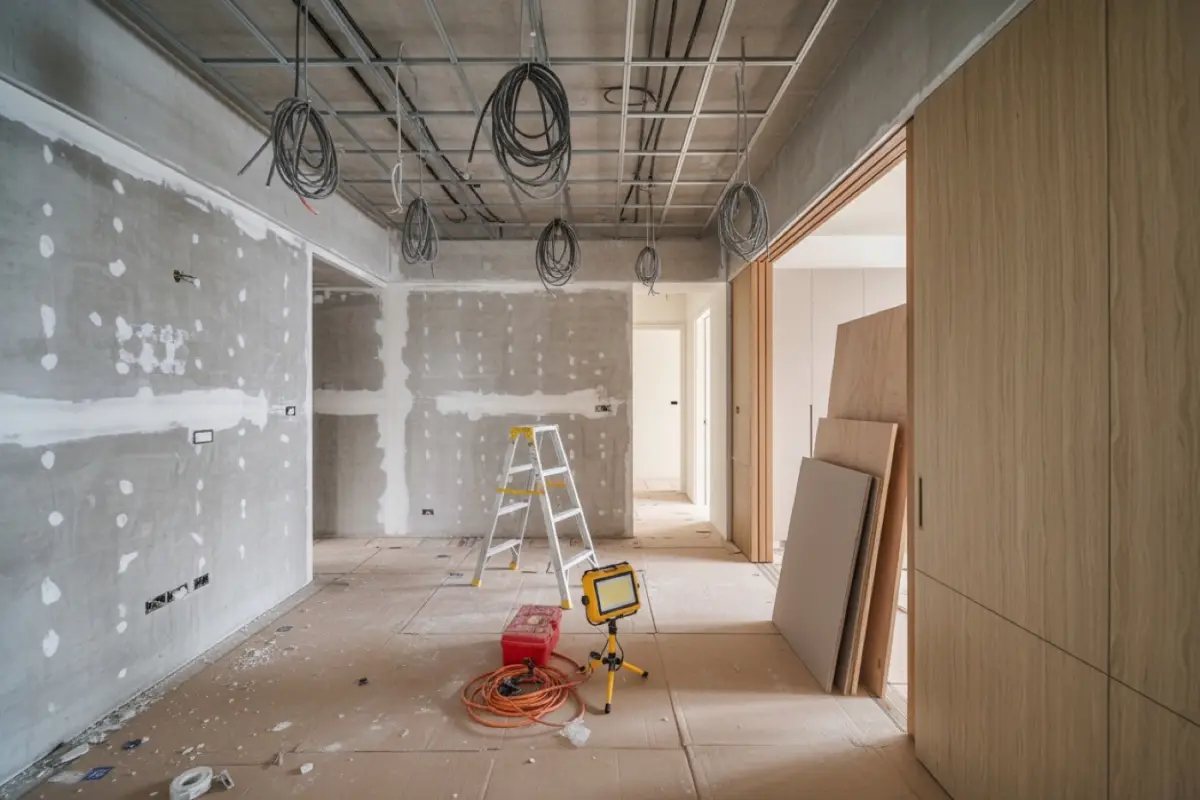
Stop scrolling back through group chats
With spreadsheets and group chats, everything is buried in messages and files. With one system, the site and the office see the same, up-to-date picture.
BeforeGroup chats + Excel
- ✕Schedules posted in chat, every change means another round of askingOne delay, and every crew has to be rebooked
- ✕Site photos scattered across everyone’s phonesClient asks for an update, you go chasing photos
- ✕Month-end attendance checked line by lineWho came when, pieced together from memory and screenshots
NowEverywhere Design
- ✓Gantt scheduling: one delay shifts the whole rowCrews see the latest schedule on their own phones
- ✓Photos auto-filed by month and tradeDefects filed by work item, with photo evidence
- ✓Check-ins logged automatically on arrivalOne tap at month-end for attendance reports and pay statements
A day on site, all in one phone
Tap a time to switch the screen and the notes.
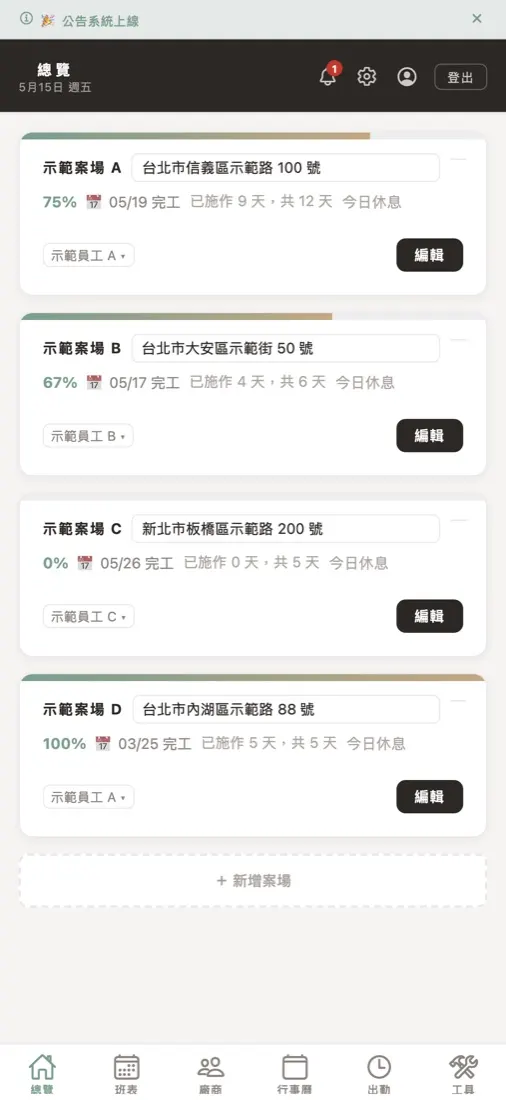
Every site at a glance
Open the app in the morning and see how every site stands today.
- Progress % and expected finish date per site
- Days worked so far vs. total days
- Whether a crew is on site or it’s a rest day
Skip the reading: each 20-second video teaches just one thing.
More tutorials on YouTube →
Gantt scheduling.
Delays shift the whole row
Demolition, MEP, carpentry and painting share one timeline. Open it and you know which crew is on site when. No more calling around one by one.
- One Gantt chart per site, one row per trade
- When the job slips, every crew after it moves too
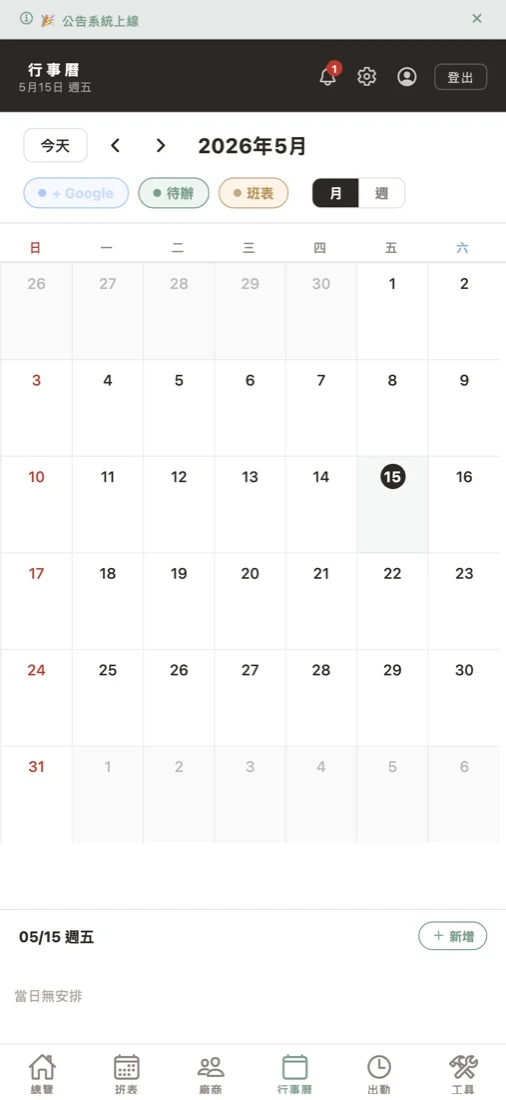
- Shifts, todos and Google Calendar on one page

Arrivals logged automatically.
No more late‑night
month‑end tallies
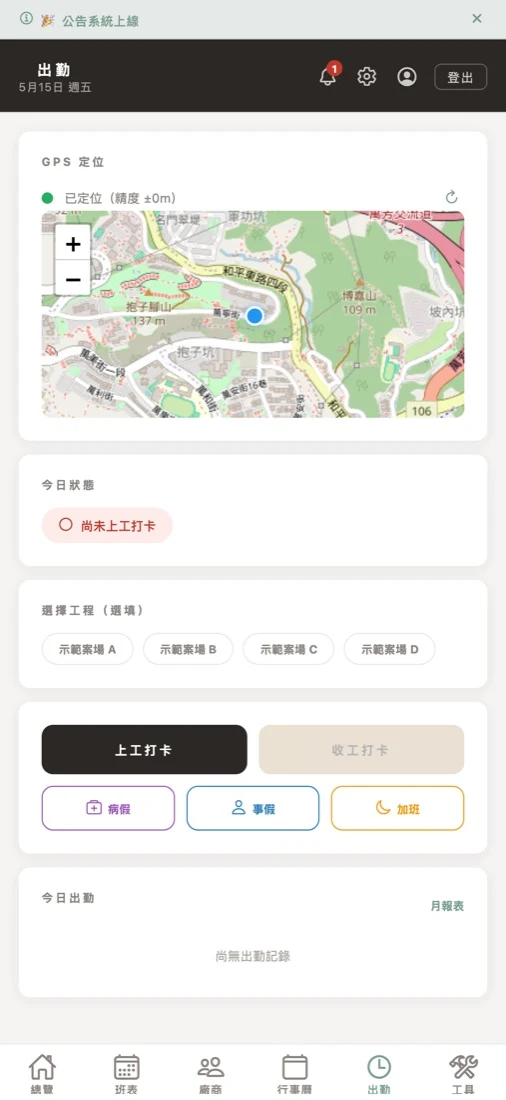
Crew check in by phone when they reach the site; the system records the time and place. Attendance, leave and overtime are wrapped up in one tap at month-end.
- Check-in only works inside the site area
- Sick leave, personal leave and overtime in one place
- Monthly report PDF and pay statements in one tap

Daily progress, filed by month and trade
Photos land under the right site, month and trade as soon as you take them. Show clients progress on the spot, and have proof ready at inspection.
- Site photos auto-filed by month and trade
- QC photos filed by work item
- Pick a few for the client and download them as one bundle
Everything the site needs, covered
Hover over each tile (on a phone, just scroll) to see it in action.
Document Signing
Sign quotes and contracts on your phone and send them back.
Job Accounting
Log petty cash and project payments; export P&L in one tap.
Todo Lists
Due-date reminders, or mark “Pending” until the date is set.
- Confirm tile color
- Book MEP crew
- Client picks lightsPending
Material Calculator
Estimate on site, wastage included.
Announcements
Important notices reach everyone, not lost in the chat.
Site Rules
Write the building rules once; crews look them up.
Site Archive
Tuck finished sites away; every record stays a tap away.
All 16 features at a glance
Not a generic project-management tool, but a system built around how construction work actually runs. Tap any item to jump to its guide.
On Site
Who turned up, how far the work got, what was photographed
Progress & Scheduling
Who is on which site, and what is due when
Documents & Money
The things you sign, collect and report on, no spreadsheet needed
Everyday Tools
Small jobs you do daily that usually live somewhere else
Who is it for?
From one person to a whole project department, one system for all.
Solo
Managing multiple sites alone; schedules and progress no longer kept in your head
Solo US$10/mo →02Small team · 2–3
Share one database, so information stops scattering
Basic US$29/mo →03Mid-size team · 4–6
Run many sites in sync; managers see the whole picture live
Pro US$54/mo →04Construction project depts
Track contractor attendance and build quality with a complete, searchable record
Enterprise US$9/user →For the crew,
just two things
Big text, few buttons, and login with a phone number. Checking in or seeing today’s schedule takes a tap or two.
Switching from chat + Excel
No downtime, no big-bang migration
- About 15 minutesFrom sign-up to up and running
- Send one invite linkTeammates join with a name and phone number
- Start with your next new siteOngoing jobs stay as they are
Is my data
safe here?
- Encrypted, and fully separated per companyNo company can see another’s data
- Scheduled automatic backupsRestore to a chosen point in time when needed
- Your data belongs to the companyPhotos and vendor contacts stay when staff leave
- Nothing vanishes overnightData is kept 30 days after the trial ends, with an email 3 days before deletion
How much does it cost?+
Solo is US$10/month, Basic (up to 3 people) US$29/month, Pro (up to 6) US$54/month, and 7 or more people US$9 per user per month. Start with a 30-day free trial and cancel anytime. See the plans page.
Is there a free trial?+
Yes, 30 days free with no credit card. Decide whether to subscribe after the trial ends.
Can veteran crew who aren’t phone-savvy use it?+
Yes. The interface uses big text and few steps; crew can log in with a phone number and enlarge the text in the app. Checking in or seeing the day’s schedule takes a tap or two.
How is it different from Excel + group chats?+
With Excel and group chats, information is scattered across messages and files, and you rely on memory and scrolling back. Everywhere Design keeps schedules, check-ins, QC photos, vendors and todos in one place, synced live across three platforms, with one-tap reports at month-end.
Can I manage several sites at once?+
Yes. There is no site limit; every plan includes unlimited sites.
Will my data disappear after the trial?+
Not right away. After the trial there is a 30-day grace period: your data is kept but features are locked. Data is only deleted permanently if you still haven’t subscribed after 30 days. We email you 3 days before the grace period ends.
Put your job site in your pocket today
30 days free, no credit card, cancel anytime. Works on iPhone, Android and computer.